
How to Fit a Family Photo on a Christmas Card (2026)
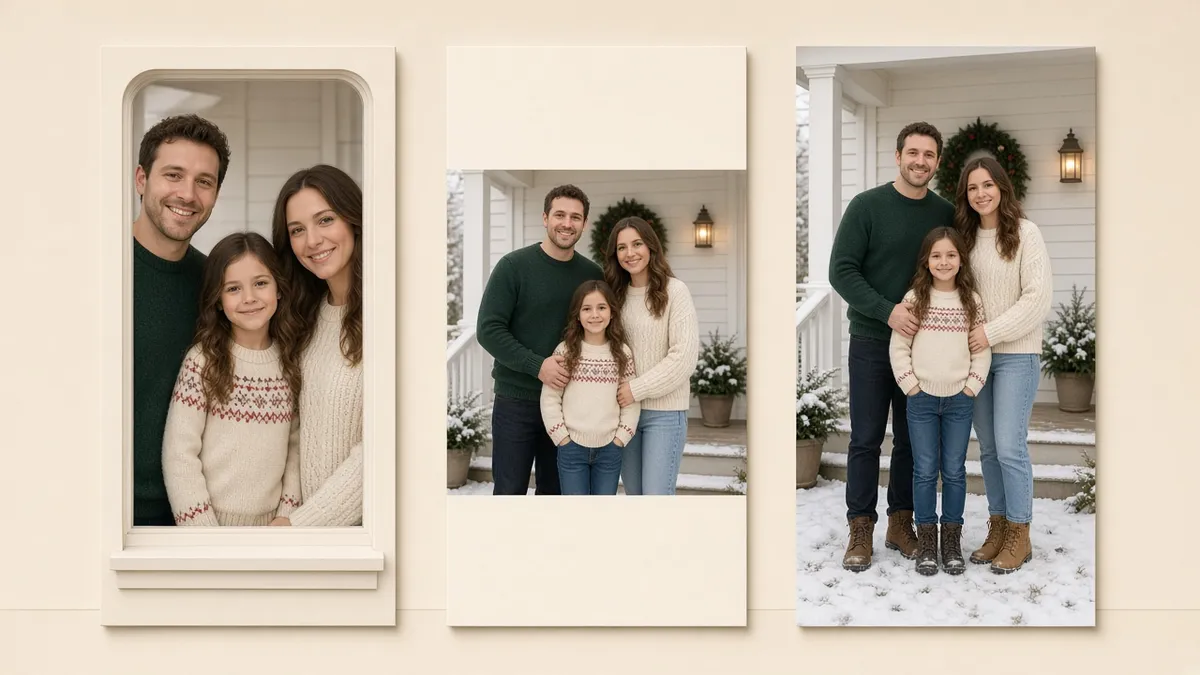
The card template has a tall 5×7 window. Your best family photo is a wide 3:2, with Grandpa on the far left and the youngest on the far right. Drop it in and the template does what the wallpaper picker does: it fills the window and throws the sides away. Grandpa is now half a sleeve, and the baby is gone.
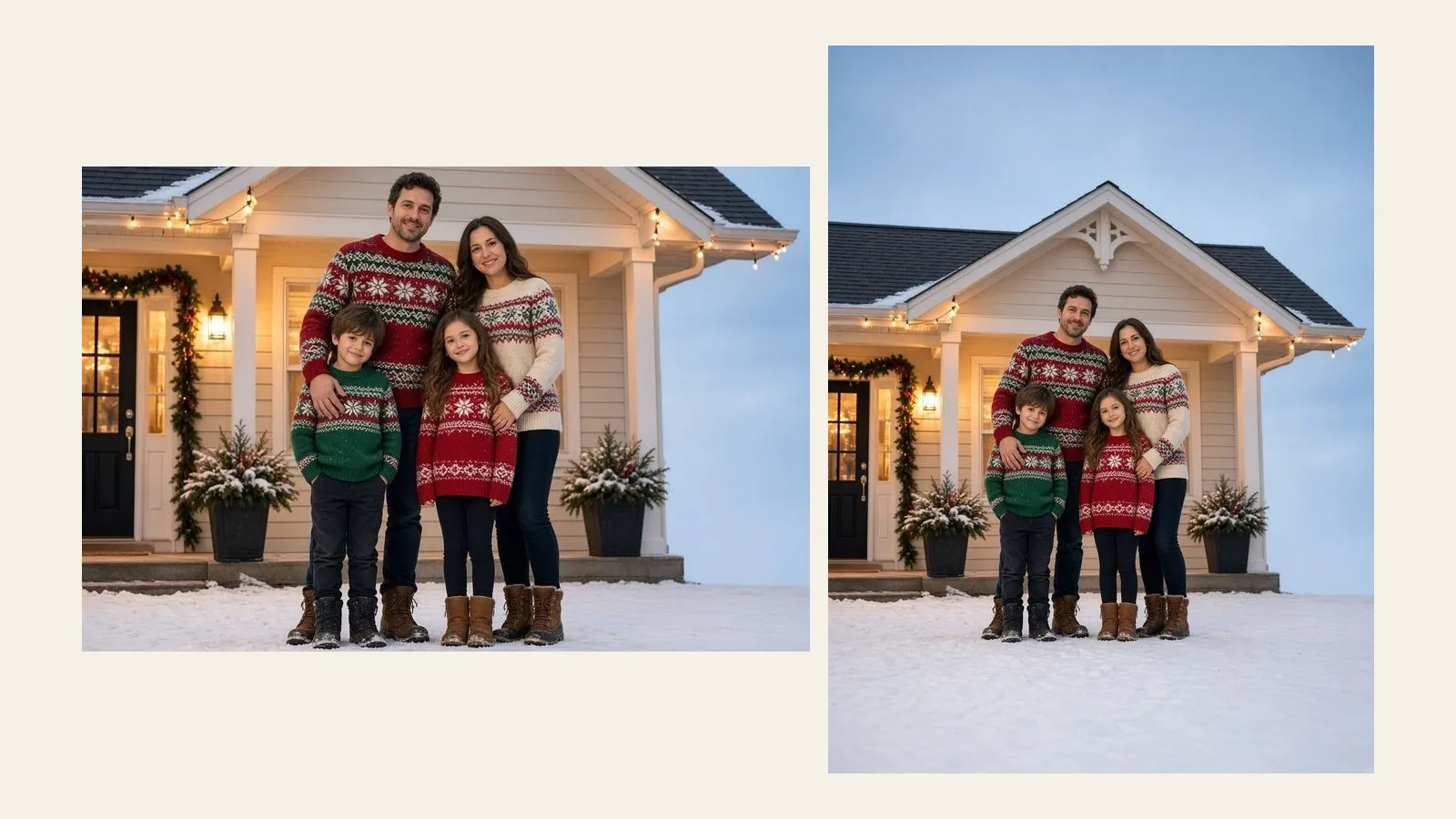
The usual fixes are to crop, to shrink the photo until white bars appear, or to ask someone to retake the picture in December light with a toddler. A fourth option is to extend the photo: keep the whole family exactly as shot, and let new yard, wall, or snow grow past the edges until the file is the shape of the card. It is quick, but a few choices decide whether the card looks right.
Make the photo the shape of the card
Upload the family photo, pick 2:3, 3:4, or 4:3, and Photo Extender grows matching background around everyone. No account for the first try.
Extend a family photo →
Why a Family Photo Doesn't Fit the Card
Cameras and card printers don't share a shape. A phone shoots 4:3, a DSLR shoots 3:2, and the photo cards you order are cut to inch sizes:
- 5×7 inches is the standard holiday card. Vertical it is 5:7, horizontal 7:5.
- 4×6 inches is the postcard or flat card, exactly 2:3 or 3:2.
- 5×5 inches is the square card, 1:1.
Print this mismatch onto a template and one of three things happens. The template fills the window and crops the edges. It fits the photo and leaves bars. Or you crop it yourself, which is the same as the first with more clicking. A group shot is the worst case for cropping, because the people you care about are spread across the full width. A single centered subject survives a crop. Six relatives don't.
If someone is missing because the photo was already cropped too tight, that's a different job: uncropping. And if the card is only a little off, extending the background a few percent is the smaller fix.
Which Ratio Matches Your Card
Photo Extender's presets are 1:1, 2:3, 3:2, 3:4, 4:3, 4:5, 5:4, 9:16, 16:9, and 21:9. If you type a custom ratio, it uses the nearest preset it can actually generate. Here is where the common card sizes land:
| Card | Shape | Preset to pick |
|---|---|---|
| 5×7 vertical | 5:7 (0.71) | 3:4. The card is a little taller than the file, so the sides get a thin trim. |
| 5×7 horizontal | 7:5 (1.4) | 4:3. The card is a little wider than the file, so the top and bottom get a thin trim. |
| 4×6 vertical or horizontal | 2:3 or 3:2 | 2:3 or 3:2, an exact match. |
| 5×5 square | 1:1 | 1:1, an exact match. |
The 5×7 trim is the thing to plan around. A 3:4 file is a little squarer than 5:7, so a vertical card loses about 5% of the width at the sides, and a horizontal card loses a similar sliver at the top and bottom. Keep faces and hands off the extreme edge, and the trim does nothing.
How Much of the Card Will Be Invented
This decides whether the idea works. Extending doesn't enlarge your family. It adds new background, and the further the photo is from the card's shape, the more of the card is new. Matching the width and growing the height, roughly:
| Your photo | Card | New background |
|---|---|---|
| Phone portrait (3:4) | 5×7 vertical | None. Same shape, so just place it. |
| Phone portrait (3:4) | 4×6 vertical (2:3) | About 11%. A comfortable extension. |
| Camera landscape (3:2) | 5×7 horizontal | About 11%. A comfortable extension. |
| Phone landscape (4:3) | 5×7 vertical | About 44%. Nearly half the card is new. |
| Camera landscape (3:2) | 5×7 vertical | About 50%. Half the card is new. |
Under about 15%, it's the same photo with a bit more yard. Past 40%, you're asking the model to build half of a porch you never photographed. That can still look right if the new area is plain, such as snow, sky, a painted wall, or a dark curtain. It rarely looks right if the new area has to match a busy hedge with a string of lights. If the shapes are far apart, a landscape photo on a landscape card, or a card design that wants a horizontal picture, is a better answer than extending a lot.
How to Extend a Family Photo for a Christmas Card
- Start from the original file, not a screenshot of the template. JPG, PNG, or WebP, up to 4MB. A screenshot of a card preview has the frame, a border, or placeholder text baked in, and the model will continue those as if they were part of the room.
- Pick the preset from the table above, then the direction. Making a landscape photo taller for a vertical card? Start grows only the top and leaves the bottom edge fixed, so the extra space is above their heads. End grows only the bottom. Both sides splits it evenly. Which one is right depends on where the greeting goes (see below).
- Zoom into the new edge before you download. Fence lines, roof edges, string lights, and garland are where the first pass bends or tiles. Look at the people at the very edge too: if someone was already cut off by the original frame, the extension has to guess the rest of them. That is the one case where you shouldn't extend. Retake the photo, or crop in instead.
- Check that nobody's face changed. The new background shouldn't touch the people, but a quick compare with the original is cheap. If a face looks different, run it again rather than retouching a different person.
- Upload the extended file to your card service and check the proof. Look at the printer's preview at full size, not the thumbnail. Seams show up on paper more than on a phone.
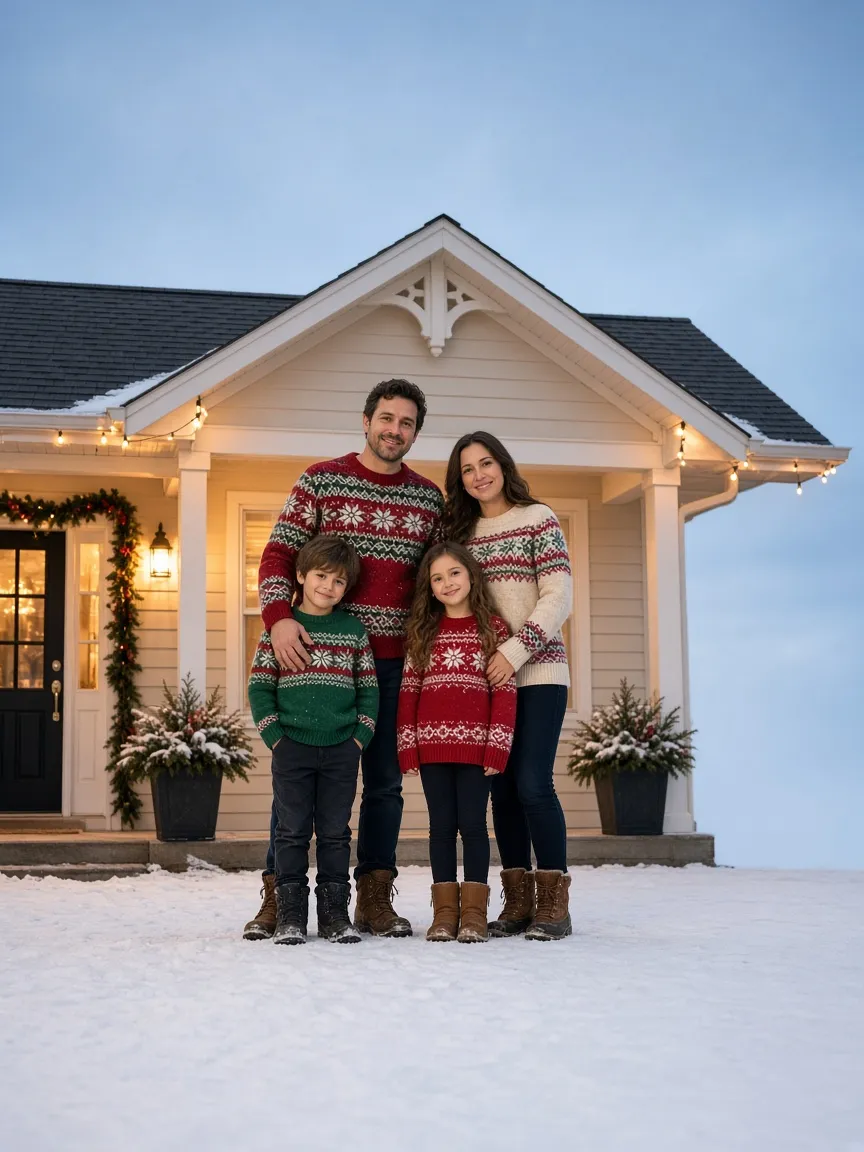
3:4 — the family untouched, with an empty band of snow at the bottom for the greeting.
Leave Room for the Greeting
This is the benefit that cropping can't give you. A card usually carries "Merry Christmas" and a few names. When the picture fills the whole face, that text lands on a sweater. When the photo is extended, you choose where the empty space goes.
- Greeting at the bottom: grow the bottom. Snow, a rug, or a dark floor is easy to continue, and cream or white script reads cleanly over it.
- Greeting at the top: grow the top. Sky, a ceiling, or tree branches work. Pick a darker or lighter band, so the text has contrast.
- Names and the year: small text goes in the bottom corner. A plain stretch of extended wall or snow is better for this than the original photo's busy background.
- Add the text yourself afterward. The extender continues the picture. It should not write the greeting. If it draws letters, they will be almost-letters. Set real type in your card editor.
Bleed: The Edge the Printer Trims
Many print services cut a card slightly inside the printed sheet, and ask for around 0.125 inch (3 mm) of extra picture beyond the finished size, called bleed. A photo that stops exactly at the edge can show a thin white line if the cut shifts. Extending the frame a little is the clean way to get bleed, because the extra margin is real background rather than a stretched border. Check the specific printer's template. Some online card builders add bleed automatically, and some don't mention it at all.
On 5×7, 0.125 inch on every side is a 5.25×7.25 file, which is still closest to 3:4. So the 3:4 preset covers the card and the bleed.
Will It Print Sharp?
Extending changes the shape. It doesn't sharpen anyone, and it doesn't make the family bigger. The people are exactly as clear as the file you uploaded. Most print services look for about 300 dpi, which for a 5×7 card is roughly 1500×2100 pixels. Open your downloaded file and look at its pixel size before you order. A phone original is usually well above that. A photo that was sent through a chat app and shrunk is not, and no extender fixes that: go back to the original. If a good-looking file is still a little short, ask the printer whether they accept a lower dpi, or order a smaller size.
The same applies to a lot of invented area: it can look fine on a screen and soft or plastic at 5×7 inches. Check the proof.
When Not to Extend
- Someone is cut by the photo's edge. The extension would have to build the rest of the person. Retake the photo or crop in.
- The background is the point. A real house, a real tree farm, a landmark: invented continuation isn't that place. A card is a personal object, so this is fine for most families, but don't use extended background in anything that has to document where you were.
- The shapes are far apart. A wide photo for a vertical card means half the card is new. Pick a horizontal card, or a template with the photo in a smaller window.
- The card template has a hard border or a text-heavy layout. You may be better off letting the template's window crop, and picking a different group photo for it.
Making the same photo a lock screen or desktop picture is a screen job, not a print job; see extending a photo for a wallpaper. For turning a vertical shot into a wide one, there's portrait to landscape.
Frequently Asked Questions
How do I fit a family photo on a Christmas card without cropping anyone?
Match the photo to the card's shape instead of cutting it. Upload the original, pick the preset closest to your card (3:4 for a vertical 5×7, 2:3 for 4×6), and extend the background outward. Check the new edges, then upload the finished file to the card service.
What size should a photo be for a 5×7 Christmas card?
The finished card is 5×7 inches, about 1500×2100 pixels at 300 dpi. Add around 0.125 inch of bleed if your printer asks for it, which makes the file 5.25×7.25 inches. The shape that matters most is 5:7, closest to the 3:4 preset.
How do I make a horizontal photo work on a vertical card?
Extend it upward, downward, or both. A 4:3 phone photo on a 5×7 vertical card is nearly half new background, so choose the direction based on where the greeting goes. If the new area is a plain wall or snow, it will look natural. If the picture is far from the card's shape, a horizontal card layout is a safer choice.
Can I add "Merry Christmas" text with the extender?
Don't. The extender grows the background; it doesn't write reliable text. Extend the photo to leave an empty band, then add the greeting in your card editor with real type.
Does extending a photo make it print sharper?
No. The family is as sharp as the file you uploaded, and the new background is generated at that same scale. Check the pixel size of the final file against your printer's recommendation, usually about 300 dpi, before you order.
Will the extended background look fake on a printed card?
It can, if the new area is large or busy. Plain snow, sky, walls, and curtains continue best, and string lights, fences, and fine patterns are where the seams show. Zoom in on the edges and read the printer's proof at full size before you commit to a batch.
Fit the whole family on the card
Pick 3:4 for a 5×7 or 2:3 for a 4×6, choose which edge grows, and leave room for the greeting. Photo Extender continues the scene around everyone.
Extend this photo →